
What can AyMON talk to? The honest answer is a long list, so we drew it. The map has four parts: the engine itself, who connects to it, what it connects to, and how several engines keep each other running. Everything on it is in the current release, AyMON 4.4.3.
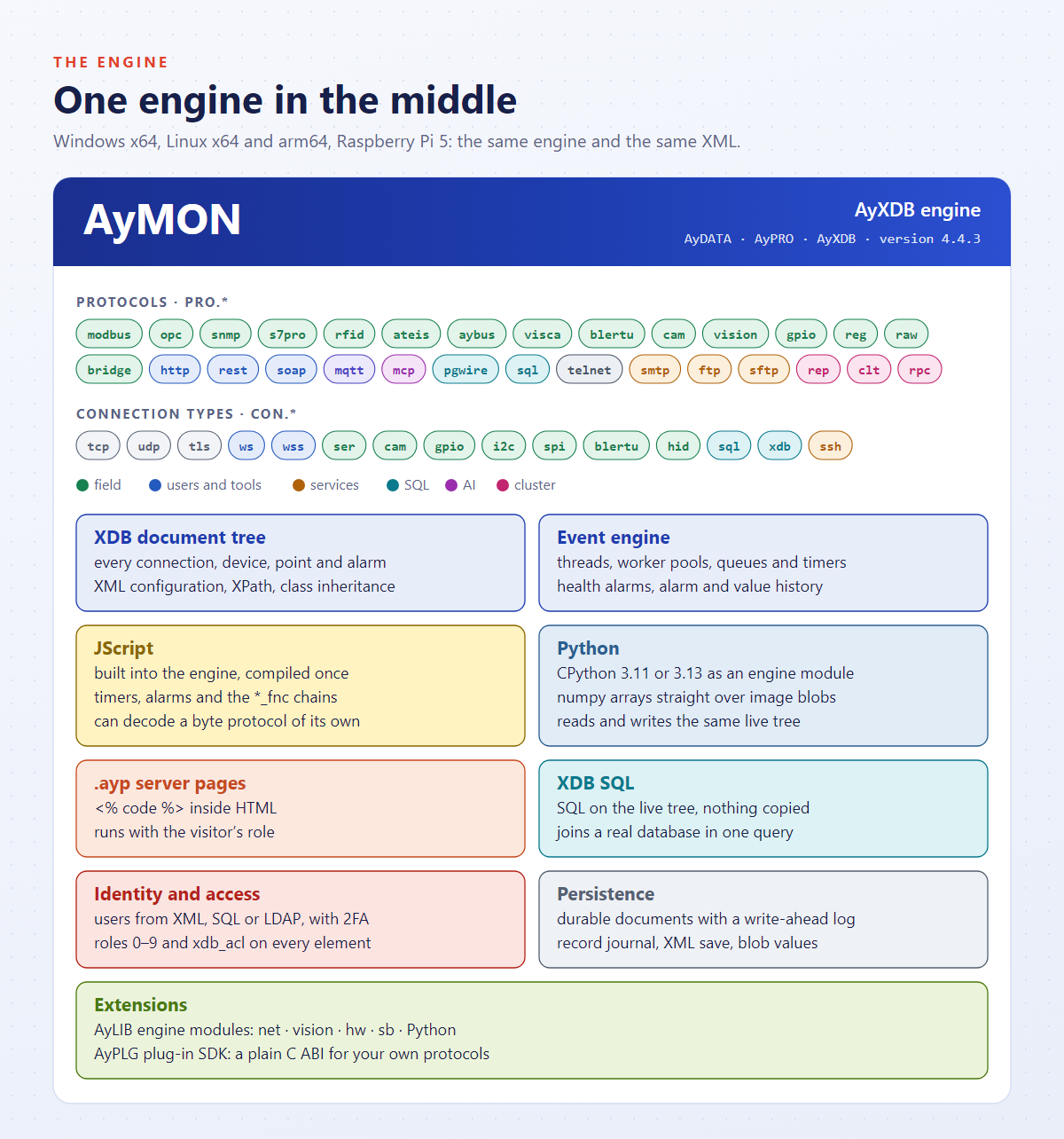
Every AyMON project is a live tree of documents: connections, devices, points, alarms and records, configured in XML and changed while the engine runs. Around the tree sit the protocols, the event engine and two script languages: JScript, built into the engine, and Python 3.11 or 3.13 as an engine module, numpy included. The same engine runs on Windows, on Linux servers and on a Raspberry Pi.
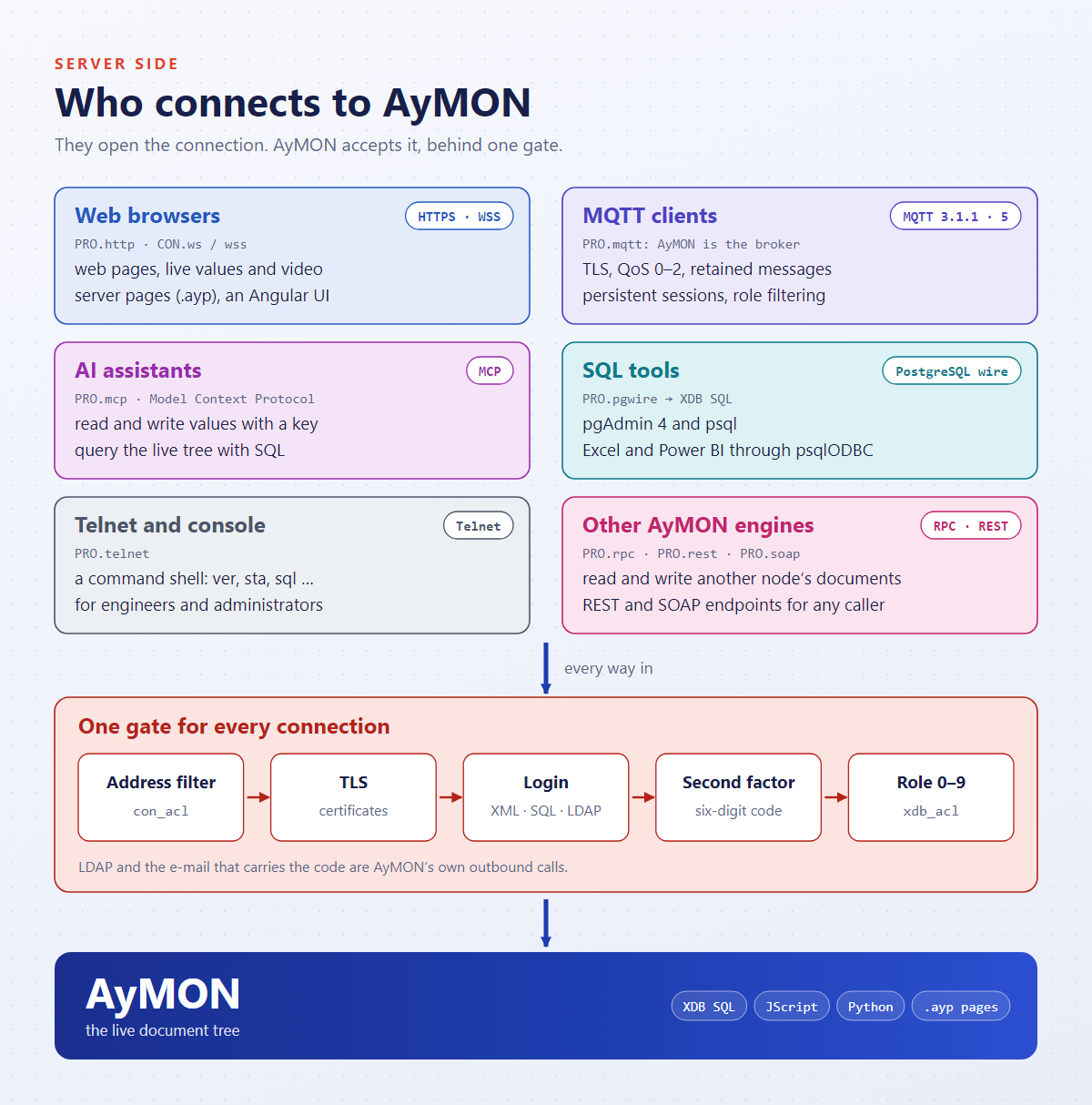
Here AyMON is the server. Browsers open its web pages and live views over HTTPS and WebSocket. MQTT clients use it as their broker, MQTT 5 included. AI assistants reach it through the Model Context Protocol (MCP). pgAdmin, psql and ODBC tools such as Excel see a PostgreSQL server and query the live tree with SQL. Engineers get a Telnet command shell, and other AyMON engines call in to read and write its documents.
All of them pass the same gate: an address filter, TLS, a login checked against users in XML, in a SQL table or in LDAP, an optional second factor, and then the role that decides what each element shows and accepts.
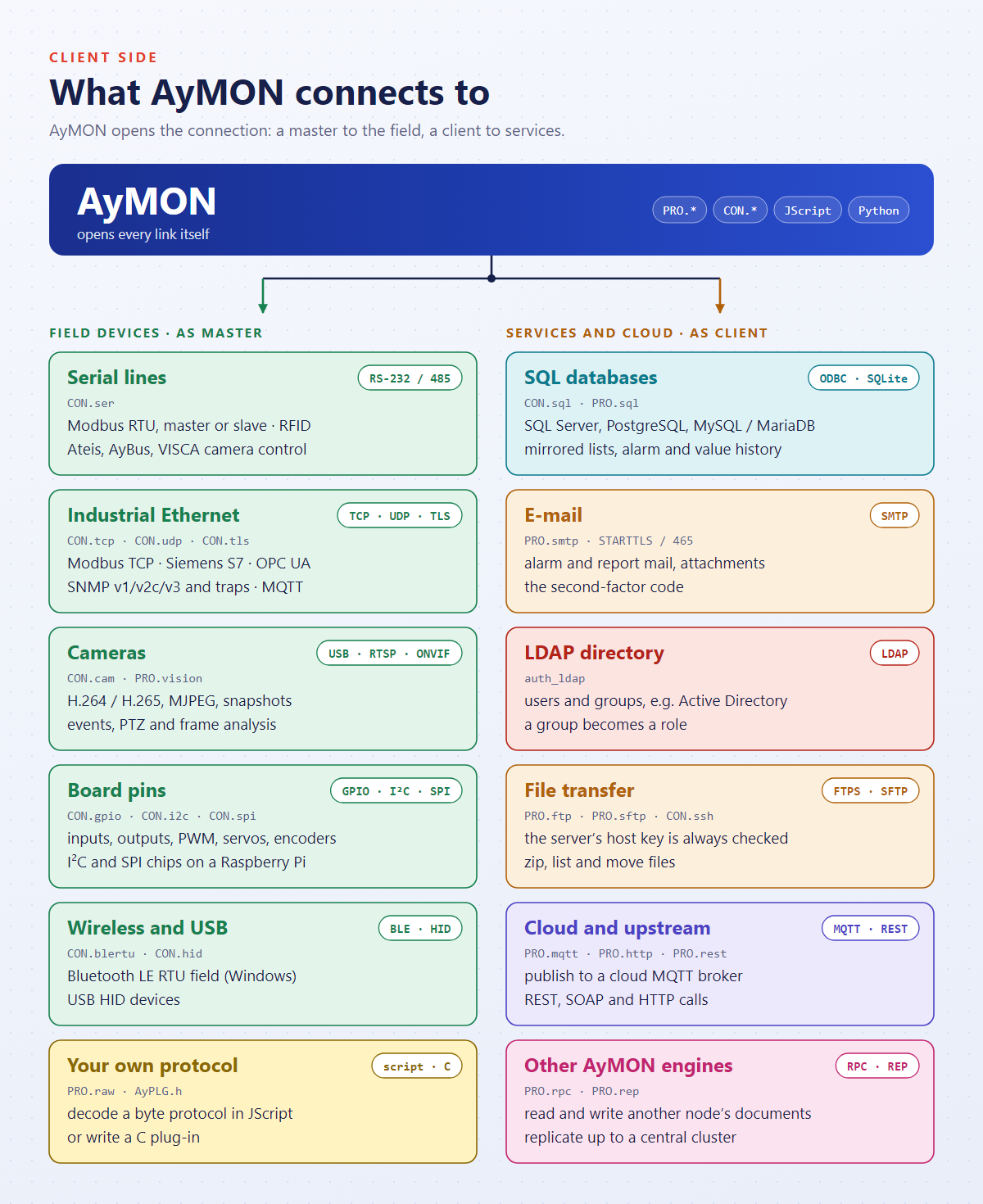
Here AyMON opens the connection. Toward the field it is the master: serial lines, industrial Ethernet, cameras, a board’s own pins, Bluetooth LE and USB, and any byte protocol you describe in a short script. Toward the rest of the site it is a client of the services already there: SQL databases for history and mirrored lists, mail for alarms and second-factor codes, LDAP for users, FTPS and SFTP for files, and MQTT or REST to the cloud.
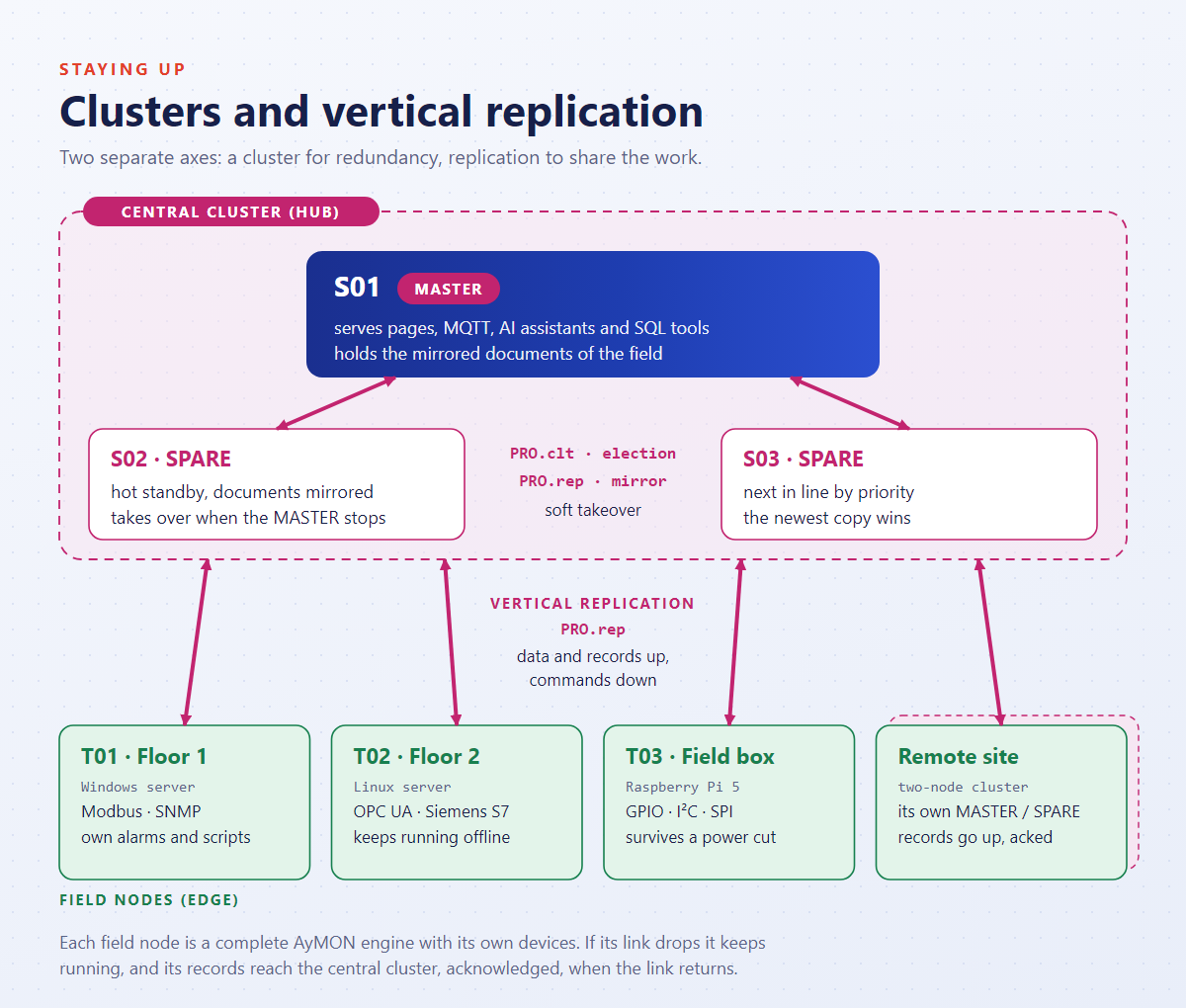
Redundancy and scale run on two separate axes. Across, two or three engines form a cluster: one is the MASTER, the others keep mirrored documents, and one of them takes over when the MASTER stops. Down, field nodes on each floor or site run their own devices and send data and records up to the central cluster, and commands come back down. If the link drops, a field node keeps running, and its records follow when the link returns.
Try it
The FREE edition runs every part of this map on a single machine, within its limits. Clustering, replication, remote documents and MCP between machines need a licence; Licensing has the details.
- Connections and protocols — sockets, ports, devices and who speaks first
- Access and safety — logins, roles and the gate
- Two engines — replication, clusters and remote documents
- SQL both ways — the live tree and a database in one query
- The current release — Windows, and Linux on x86-64 and ARM