
AyMON
Get Started
Five minutes
Run an example before you read anything
The AyMON repository holds the engine for Windows, Linux and Raspberry Pi and more than thirty runnable projects. Every one starts with a single command and needs no licence, no hardware and no database unless its own README says otherwise — each example brings the simulated machine it talks to.
Windows
cd examples\start\PRJEDU_101
run.bat
Linux
cd examples/start/PRJEDU_101
./run.sh
The run script finds the engine in bin, hands it the education licence, and starts it.
Stop it with CTRL-C; everything the engine did is in the project’s log directory and on the console.
Download
Get AyMON
Download the package for your platform and unpack it anywhere: the engine, the education licence and every example are inside. Or clone the repository.
git clone https://github.com/akya-dev/AyMON.git
The examples
Learn by running something real
More than thirty projects, in nine groups. Click a group to see its examples.
First steps
PRJEDU_101: timers, scripts, a calculated value and an alarm.
Field protocols
Modbus, MQTT, SNMP and OPC UA, with both ends of each on one machine — no hardware.
Data, history, mail and files
History in SQLite, SQL Server or PostgreSQL; alarms and events written by the engine; a list that mirrors a table; values that survive a crash; mail and FTP.
Web pages, access and security
Live pages over HTTP, REST and MQTT; pages the engine writes itself; a maintenance shell; a plant with weaknesses to find and fix.
Two engines
Replication; a cluster where the spare carries on when the master is killed; a document read and written on another node.
Course labs
A PLC program with interlocks, a PID lab, OEE shift by shift, a six-axis robot cell.
AI assistants, Python and vision
An assistant reads a plant over MCP and runs a robot cell inside rules; Python beside the engine; a camera inspecting bottles, about 500 frames a second.
Hobby projects
Fly a drone from a web page, plot the aircraft overhead, use your phone as a sensor.
On the board
A fan, a door lock and a parking sensor on a Raspberry Pi’s own pins — or on any computer, with the chips in memory.
Screens
What the examples look like
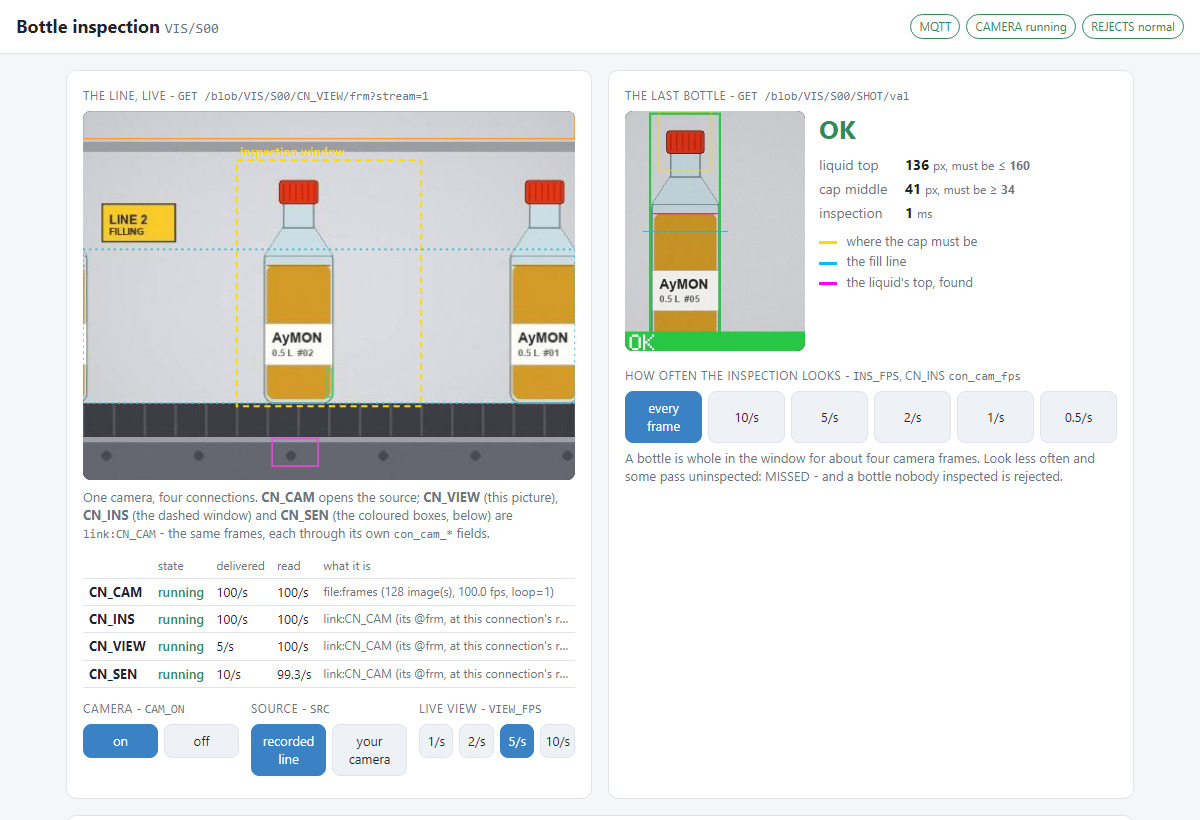
PRJEDU_vision — a camera inspects bottles on a filling line inside the engine: 100 frames a second, every bottle judged, no script for the watching.
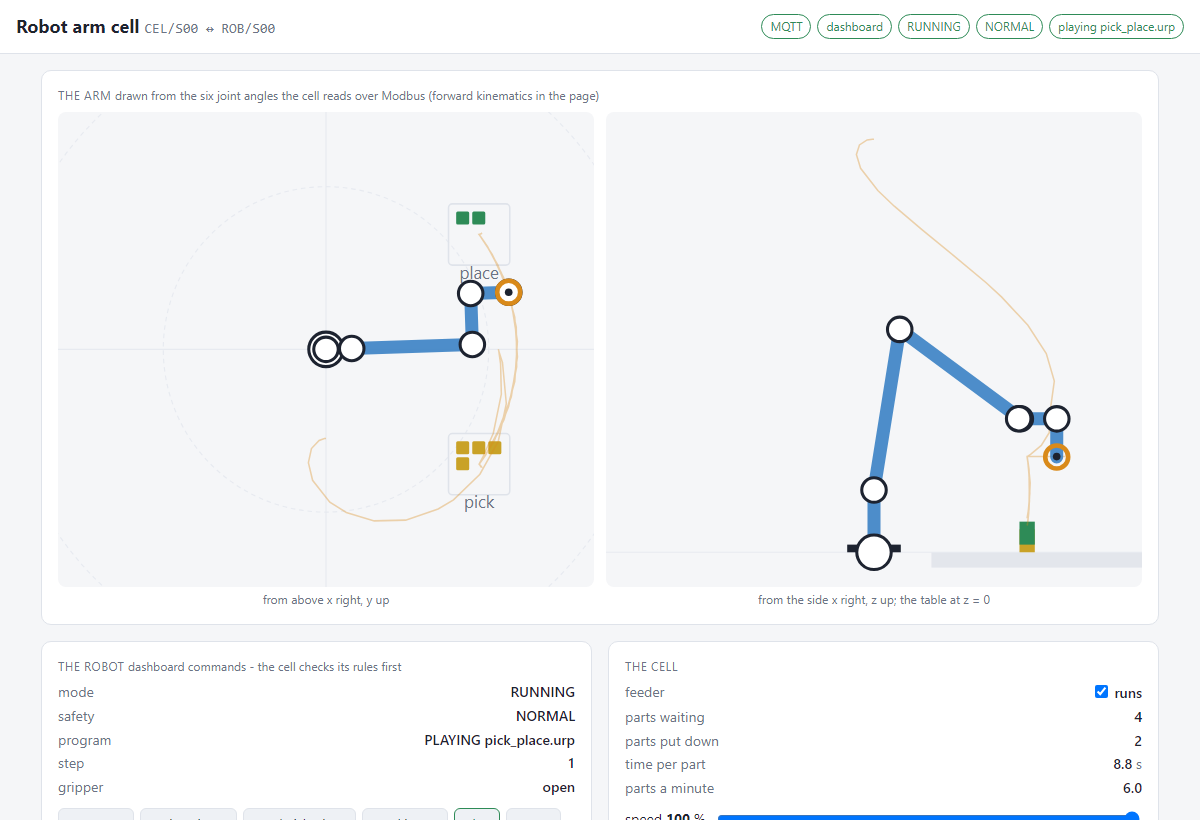
PRJEDU_robotarm — a six-axis cobot and the cell around it, over its dashboard and Modbus; the cell checks its own rules before every command.
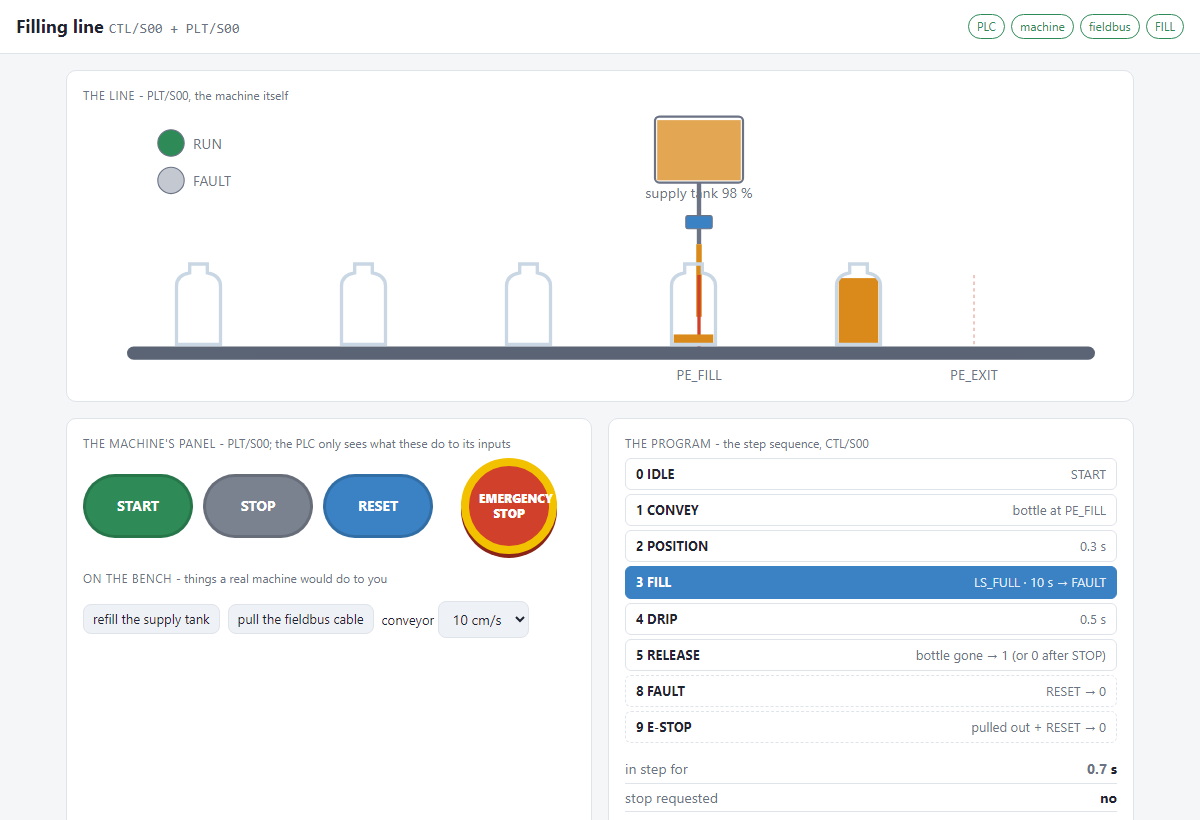
PRJEDU_plc — a PLC program for a filling line: remote I/O over Modbus, a step sequence, interlocks and an HMI.
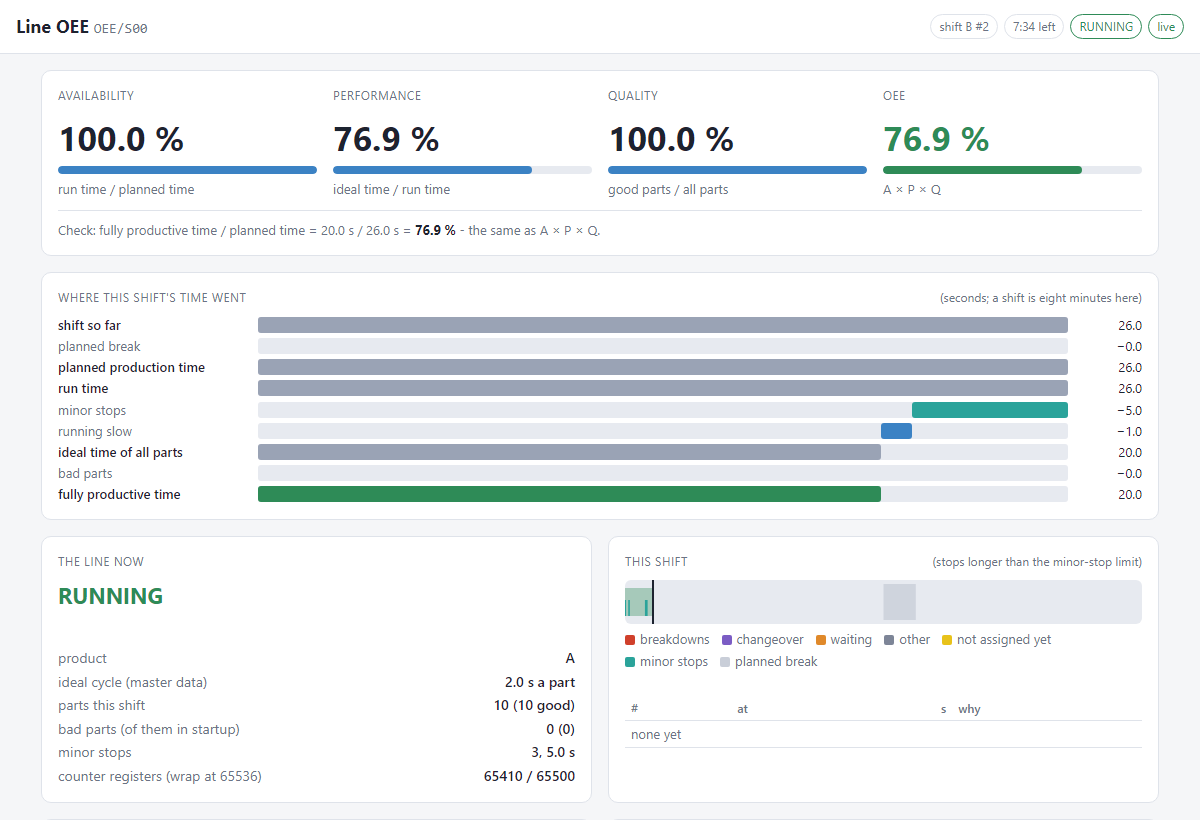
PRJEDU_oee — OEE of a production line shift by shift: availability, performance, quality, losses and a shift report in SQLite.
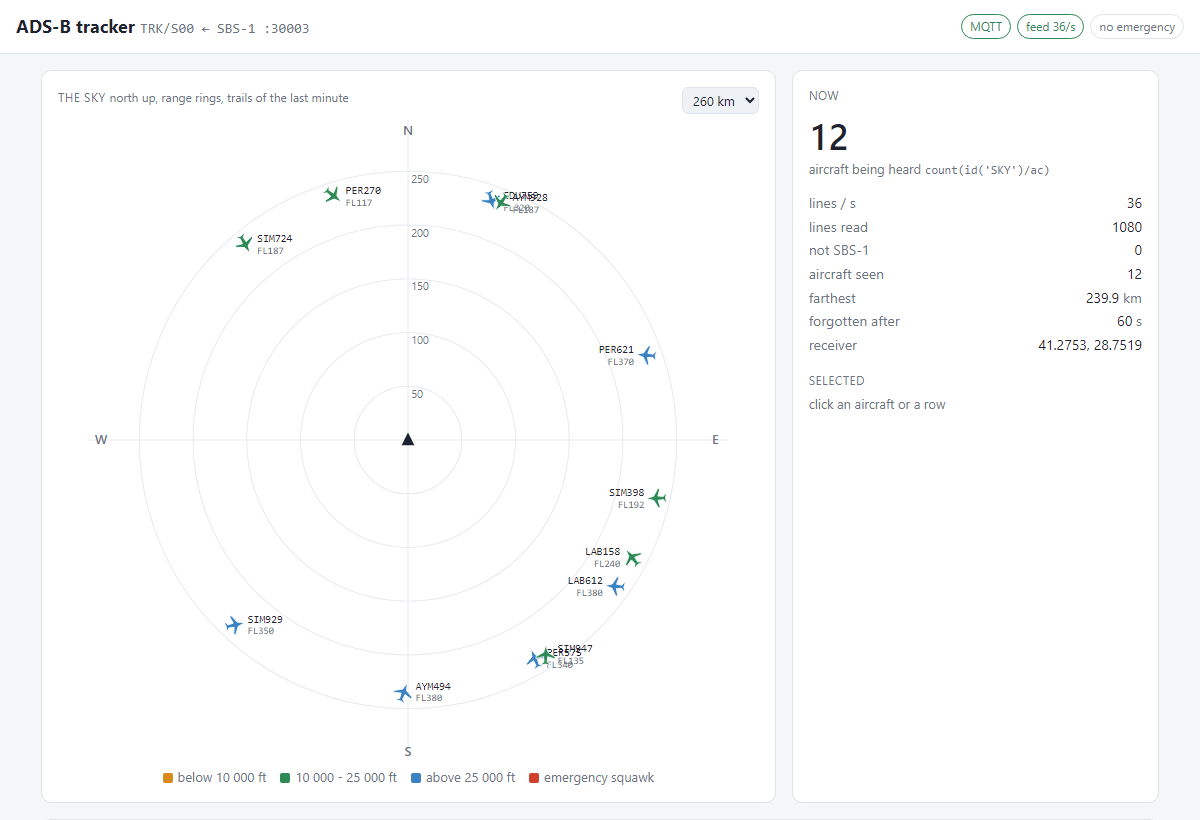
PRJPER_adsb — the aircraft overhead from an ADS-B receiver’s stream, with an emergency squawk raised as an alarm.
What you need
Requirements
Windows
Windows x64, desktop or server. Nothing to install.
Linux
x86-64 with glibc 2.34+ and OpenSSL 3: Ubuntu 22.04+, Debian 12+, RHEL 9, WSL.
Raspberry Pi
A Pi 5 (or another arm64 board) with 64-bit Raspberry Pi OS, Bookworm or Trixie.
Optional
Python 3.11 or 3.13 only for the Python examples; a database server only if you choose one.
Stuck, or found a bug?
Questions go to the repository’s Discussions, bugs to its issue tracker; the guides answer most first questions.